
Windows Package Manager
Install Maxisnap with WinGet
winget install --id BroadfieldNetworks.Maxisnap --exactUse the stable package ID to install through Windows Package Manager. Maxisnap’s own download page remains the source for Windows and Mac downloads.
From a screen to a clear explanation
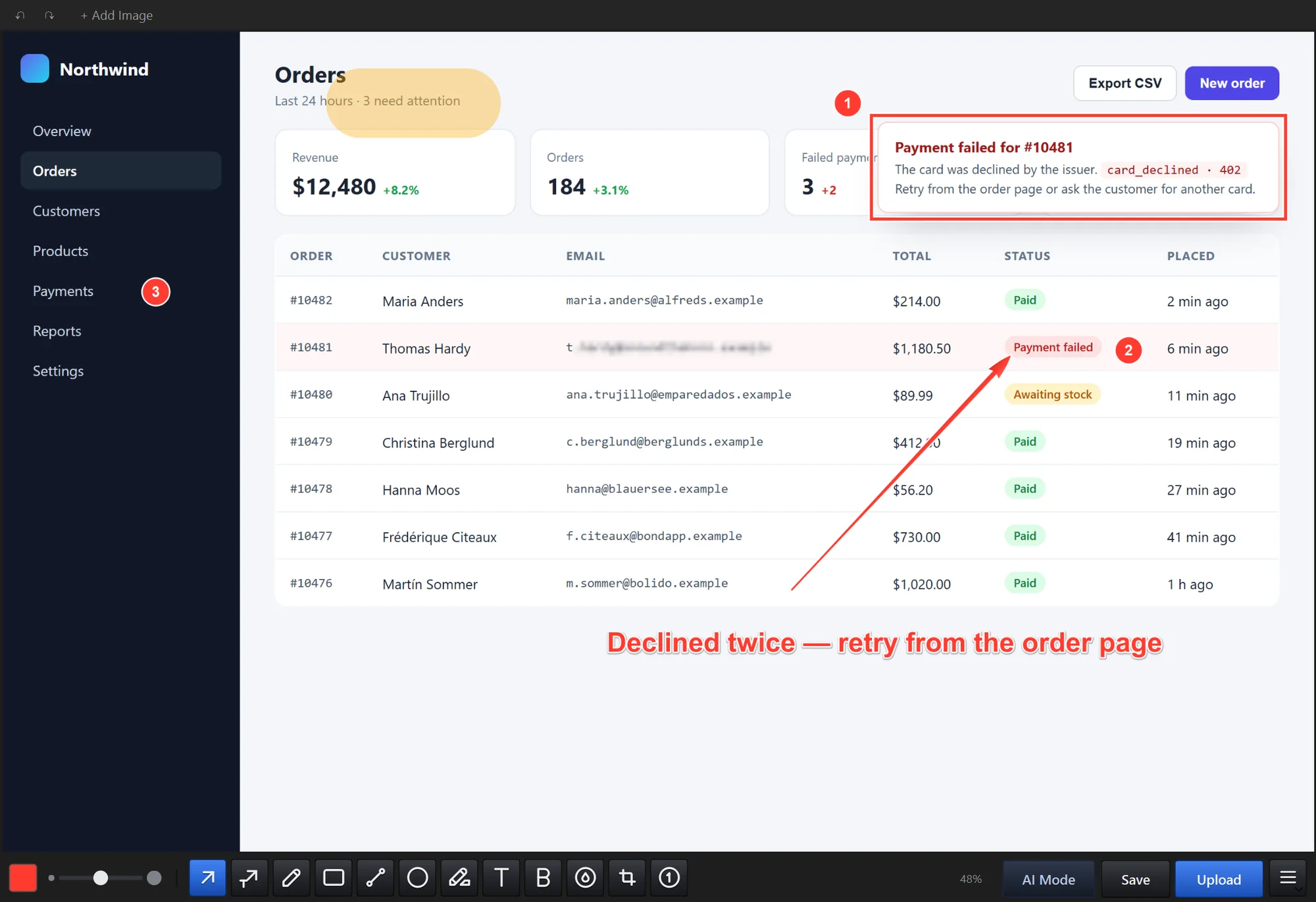
Capture a region, a window, the full screen, or a long scrolling page. The Windows editor brings together 12 annotation and editing tools, including arrows, text, numbered steps, highlights, crop, blur, and redaction, so the important part is immediately clear.
Screen recording extends the same workflow to a sequence of actions, with system audio and your microphone (on a Mac, microphone recording needs macOS 15 or later). A picture or a short clip often explains a software bug, a support question, or a design change faster than a long message.
Text, search, and AI tools
On Windows, on-device text recognition copies text out of an image without an internet connection. On the Mac, you can search the text inside your captures and keep a readable copy of each one in Pictures › Maxisnap.
AI Mode in the Windows app exports screenshots and recordings at a size that suits AI assistants and coding tools such as Claude Code, Codex CLI, and Gemini CLI.
Windows and Mac
The Windows app runs on Windows 10 (version 1903 or later) and Windows 11, 64-bit. The Mac app runs on macOS 13 Ventura or later as one download for Intel and Apple silicon Macs, with actions for the Shortcuts app and automatic updates.
The same Maxisnap account and plans work on both. They are separate releases and some details differ, such as keyboard shortcuts and the microphone requirement. The features page describes the Windows app; the release notes list what changed in each Windows and Mac release. There is no Linux version.
Work locally or share a link
Capture, annotate, copy, and save locally without creating an account. An optional free Maxisnap account adds Cloud links and a searchable capture library for work that needs to be shared.
New paid purchases are currently unavailable; existing Pro and Studio access continues. Existing Studio owners can send captures to their own server and run a branded, self-hosted library on their own domain. Windows supports SFTP, FTP, S3-compatible, and HTTP destinations, while the Mac app can also deliver to a configured Studio server.
Signed, public distribution
Use the official download page for the current Windows installer and universal Mac disk image. The Windows installer is signed by Broadfield Networks LLC, and the Mac download is signed with an Apple Developer ID issued to the same company.
Windows users can also install Maxisnap through Windows Package Manager. The public Maxisnap GitHub repository carries official releases, verification guidance, security information, and support links.
Product information checked by Broadfield Networks LLC.